Going online in the big Internet?
Facilitator
After understanding the client vs. server relationship, we dive in the bigger internet.
While a local network already holds potential, the ultimate (at least the original) goal of the Internet is to connect remote places and give users access to information all over the world.
There are several ways to open a local server to the public over the Internet. Essentially it consists in explaining to other servers at which public IP address your website can be found so visitors can be directed there.
Protip
We already know our router’s public IP address from earlier. However, for security reasons most internet providers don’t keep a fixed IP address for each house network and opening our private network to the internet expose us to security risks. However there are many tutorials online on how to achieve that, depending on the internet provider/ router you have.
What about my website’s name?
Wait a minute! When we I go online, I never use an IP address. I just type an address in the search bar, or look for it with a search engine. Indeed, since IP addresses are hard to remember and change (for security reasons or because a site moves from 1 server to the other) we use domain names in web addresses.
A domain name is made of at least two parts: the domain name, like Wikipedia and the extension, like .org, or (.com, .net, .nl, .fr, etc.). Sometimes there is also a subdomain like in
www subdomain
Most website use the default “www” as a subdomain, as in
Facilitator
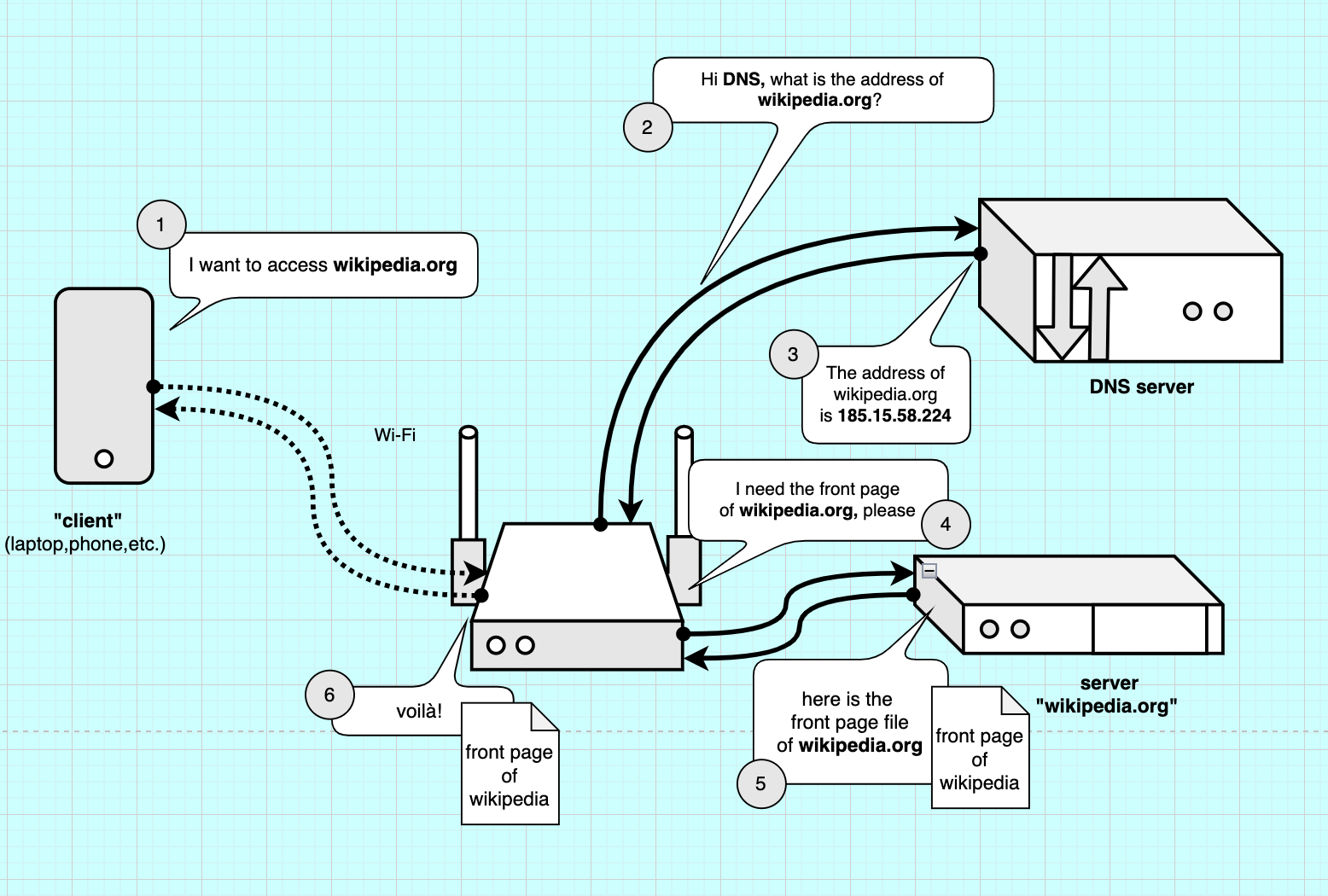
The image above explains how we can retrive a webpage over the internet. First our request goes via Wi-Fi to our router. The router has to figure out what IP address corresponds to the domain name. It sends a search via a DNS, Domain Name Server: this server can match IP addresses to domain names and sends back the IP address of the server. The router can then request the files to the server, which serves them (sends them back). More info on this nice comic book: How DNS works.
Facilitator
The 2 exercises below are optional, depending on the grounp/ level / timing. The idea is to associate IP address to domain names
Exercise: IP address of famous websites
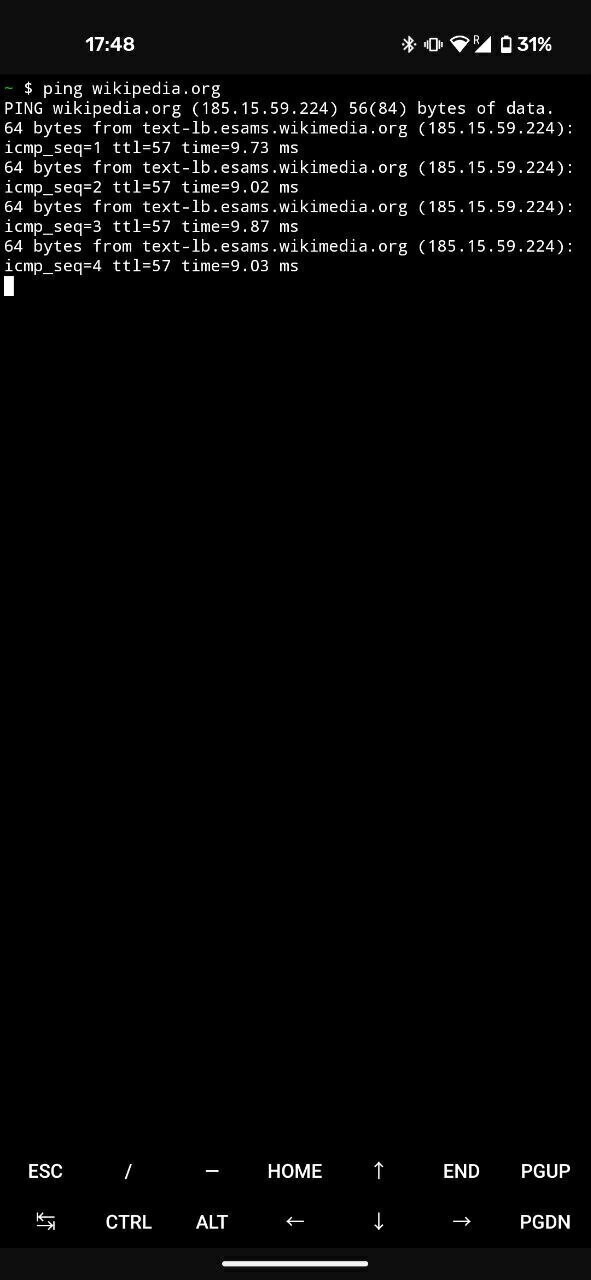
In the terminal (Termux) we can use a simple command to know the IP address of a website (its server). We use the command ping to test the reachability of a server.
- Type and enter:
ping wikipedia.org
-
If we are connected online, we should now be receiving information back within a few ms of delay! We also see the IP address of wikipedia.org, so
185.15.58.224(last time we checked). Entering this IP address in your browser should get you to Wikipedia too: http://185.15.58.224 -
To quit
ping, tapCTRLandcon the keyboard.
Exercise: Where does Wikipedia live?
Using service like IP location, we can match an IP address to a location and see where famous websites have their servers.
- Go to IP location
- Type an IP address (like 185.15.58.224 for wikpedia)
- Look on the map where it is :)
URL - A webpage’s full address
A url is the name of the complete web-address. It’s made of 3 parts. For example we have https://en.wikipedia.org/wiki/Internet/index.html
- https:// is the protocol of communication of the web (webpages in websites, on web-servers)
- en.wikipedia.org is the domain and sub-domain
- /wiki/Internet/ is the path, the folders and subfolders we have to go through to get to the location where our file is.
- index.html is the file we are requesting, the file that contains the content of this page and the list of all the resources needed to display this page (fonts, images, stylesheets, databases, etc.). By default it’s index.html, so no need to write it.
http VS http’s protocol
http:// stands for the communication protocol we are using. http or (https) is the protocol for browsing websites, whereas SMTP is for sending emails, etc. :8080 is our port, the “place” we are trying to access in our server. If our IP address was the address of our server-building, the port would be the floor where “NGINX” has its office.
There are several ways to go “public”: using a fixed public IP address and opening the ports to the public (ports forwarding), using a dynamic DNS tool or using a reverse proxy server.
A Reverse-Proxy
We will be using a reverse proxy. A reverse proxy is an intermediate server that is already public and acts as a intermediary between our local web-server and potential clients (other devices).
In this tutorial, we use comphost.club’s reverse proxy server, that is based in the Netherlands, so we can keep this somewhat local.
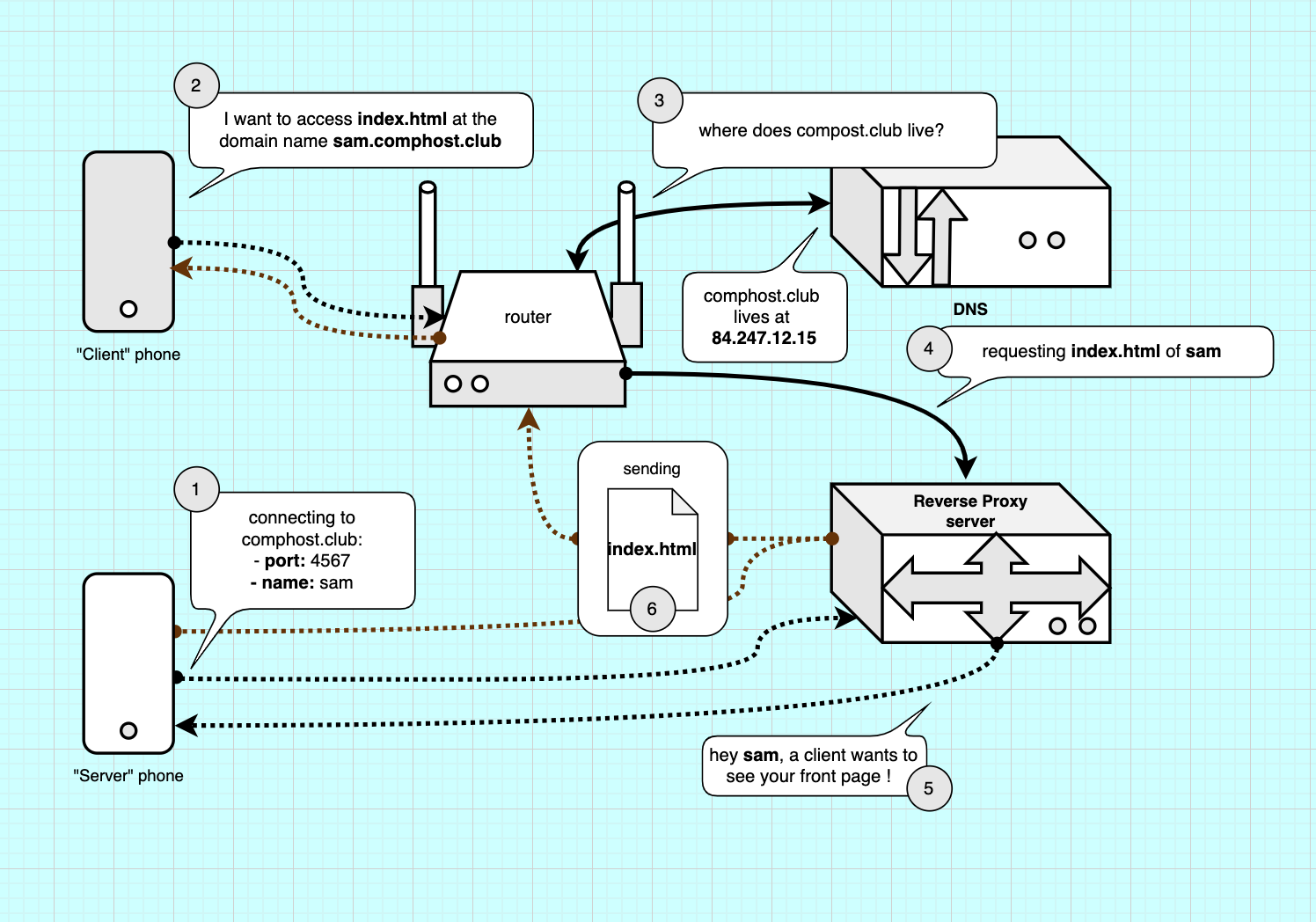
With the image above we can explain how our reverse proxy works. 1. We create a “tunnel” connection between our server phone and the proxy server. 2. A client tries to make a connection , gets directed to the proxy-servers’s IP address via the DNS (3-4). 5. The proxy server relays the connection to the server and then forwards the response to the client (6). This is similar to how a VPN works, minus the encryption.