Where does my server live?
Facilitator
Before we actually visit webpages of other participants, we introduce the concept of IP address, by drawing a metaphor between an IP address/ web address and a street address. This helps reminding of the physicality of the web: websites are inside servers that are somewhere in a building in the physical world.
WTF is an IP address?
IP address stands for Internet Protocol address, which is the method of communication used by all types of computers/servers across the internet (web-servers, emails, file transfers, etc.). Since the internet is a massive network of computers, we need a unique way to identify each server, so we can send requests to it and the server can send information back to the correct device.
Think of it like a street address: each IP address is unique and is a way to tell where that servers “lives” and how to get there.
Traditionally IP addresses are made of a series of four sets of numbers (0 to 255) separated by a period. Therefore there are addresses ranging from 0.0.0.0 to 255.255.255.255, that’s over 4.3 billions unique addresses! However, with the exponential rise of devices connected online, we are starting to run out of addresses to give away, which is why some devices now use a new longer IP address format called IPv6 (it looks like that: 2600:1f1c:446:4900::259)
Local vs. Global network
Facilitator
Going back to the tutorial, we find out every phone’s IP address, but first realising what a private IP address is vs a public IP address.
What is my server’s IP address?
In Termux, there is a command to determine the current IP address of my device. We use the command ifconfig to test the reachability of a server.
- Type and enter:
curl ifconfig.me
- We get something like this:
200.300.304.304
Facilitator
By asking everyone to write down and read this IP address, we realise everyone has the same. We explain why (below):
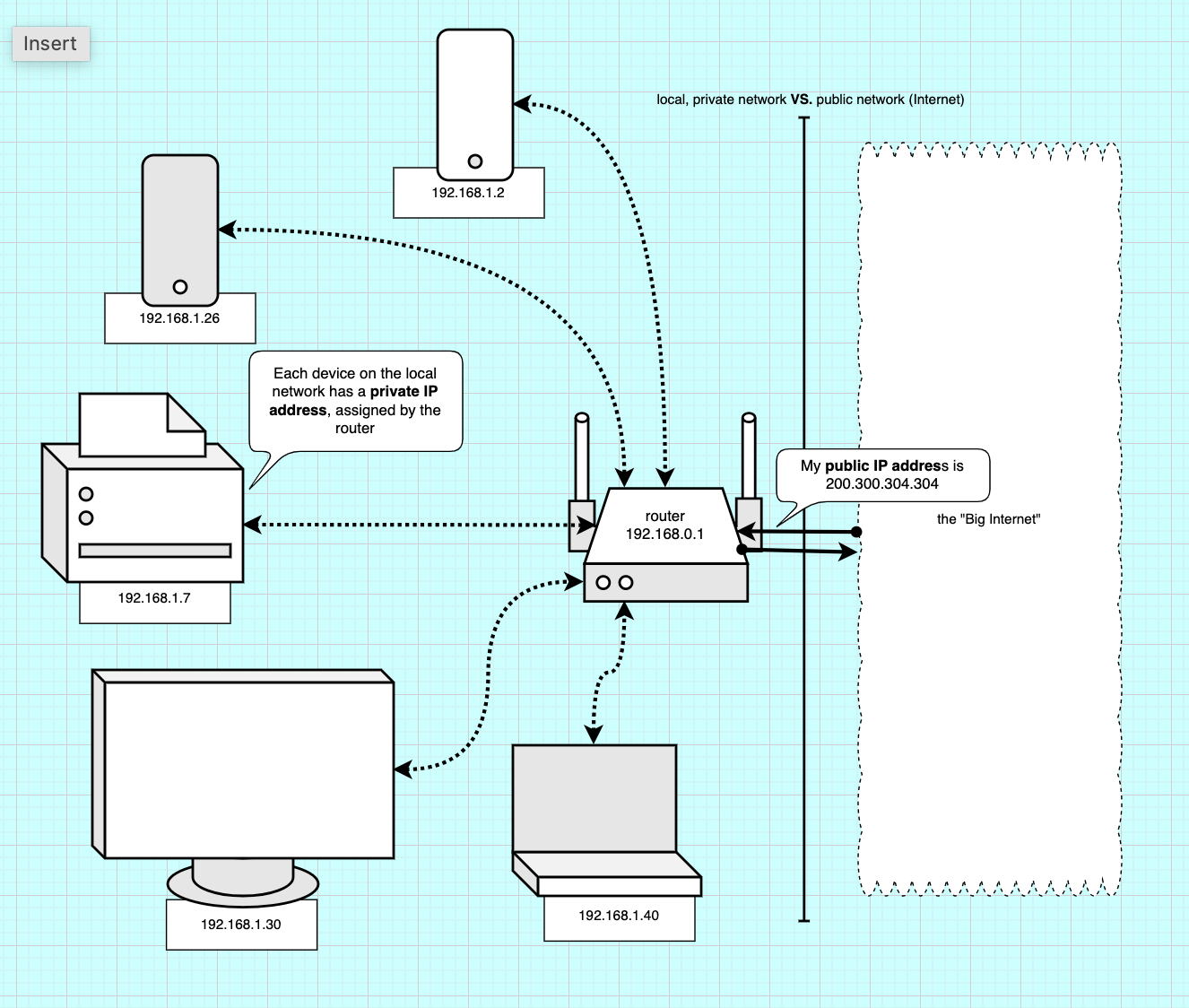
Now, everyone phone that is connected to the same wifi should get the same address. Why is that? This is actually the Wi-Fi router’s public IP address, which is the unique address used by the router to access the Internet. All the requests we make to remote servers (through the internet) travel through our wi-Fi router, which is the gateway to the big internet, the global network.
However, all the devices connected over Wi-Fi or cable to the router also form a network: the local network. If you played multiplayer videogames in LAN (Local Area Network), like having a minecraft server with your friends at home, it might be familiar. This local is also how we can talk to our printer remotely, while we are connected the same Wi-Fi network.
In this local network, each connected device also has a unique IP address, so the router knows who is sending requests (to the internet or to other devices) and can direct the trafiic. This local IP address is called the *private IP address.
In short of public IP address is the address of our router when it’s browsing the internet, while a private IP address is the local address of each device on our home network.
Facilitator
The image avove helps explain the concept of local network. Each device on the local network is connected to the router over Wi-Fi (wireless) or cable (ethernet). To tell each device apart and receive requests the router assigns a local IP address to each device. All the requests go through the router, either to talk in between device (e.g.a computer sending files to print to the printer) or through the “gateway”, to the biginternet and back.
What’s my phone’s private IP address?
In the terminal we use ifconfig to know our device private address:
- Type and enter:
ifconfig
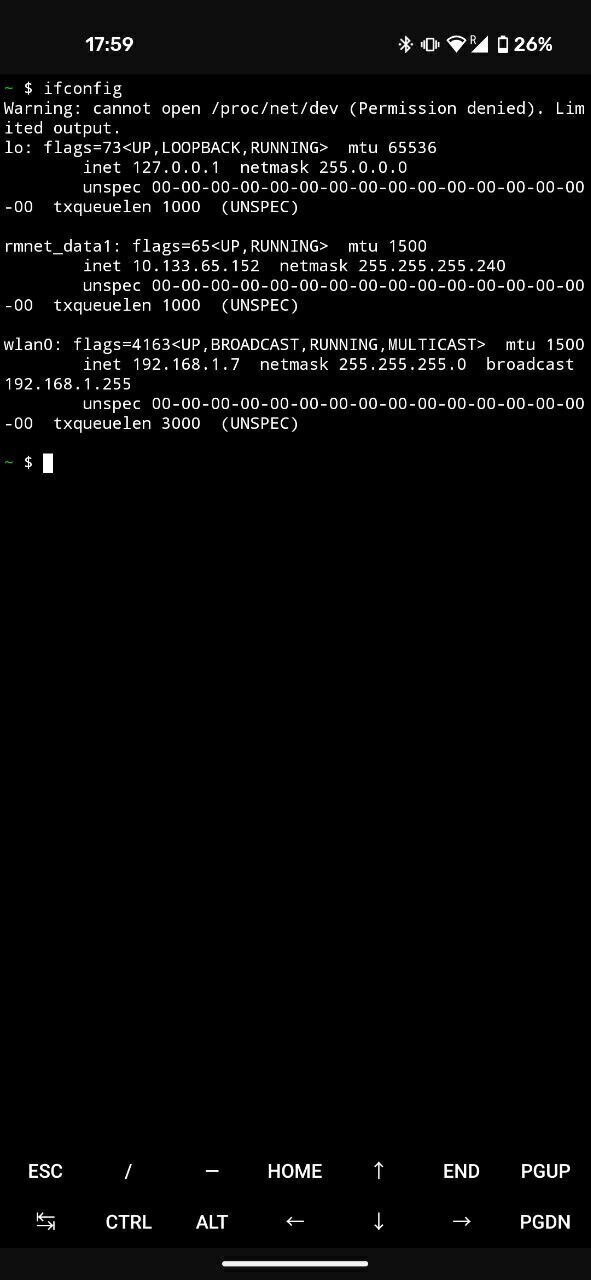
- In the output we look for the line starting with
wlan0....inet, this relates to the Wi-Fi interface. Afterinet, there is an IP address that should look like:
192.168.1.255
- Write this address down. This is your devices IP address as long as your remain connected. (It might change if you disconnect then reconnect).
Browsing the local network
Now that we know our web-server local (private) IP address (where our server lives), we can let other devices on the network visit our webpage!
Facilitator
Now, we can start visiting each participants’ custom webpage. With a laptop connected to the Wi-Fi and a beamer, we cn each participant for their “address” (IP address), type it in and show it to everyone!
- Using another device than your phone server, visit your phone’s servers over the local network.
- In the browser type + enter:
http://+192.168.XX.XX+:8080 - Make sure you use http:// and not https:// (we don’t have the secure SSL certificate yet).
- You can now view your custom webpage.
Facilitator
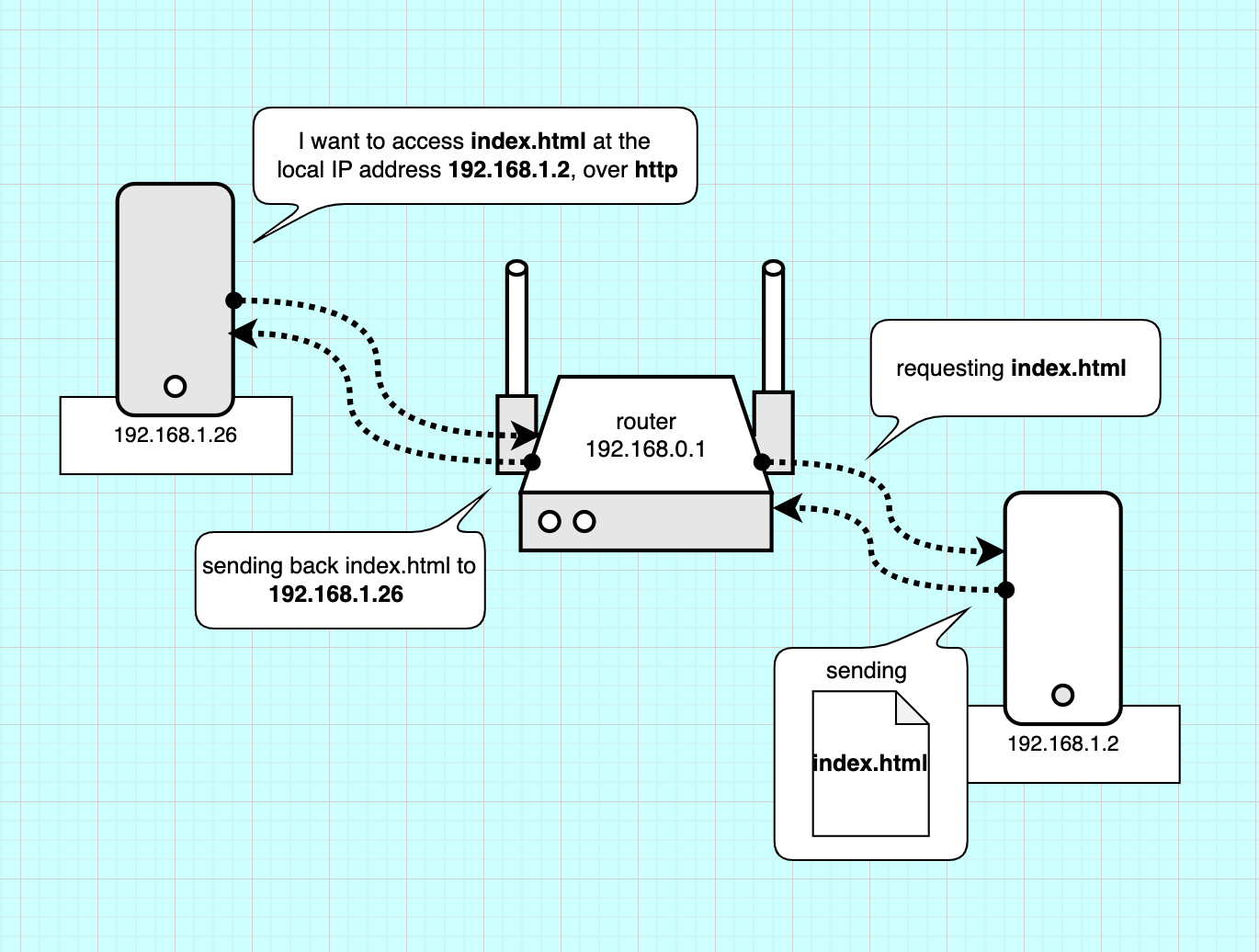
We can now explain what is going on more precisely. Our client (phone or laptop) is requesting the index.html to a certain address. The router is redirecting this request to the phone server (with its local IP). The server “serves” the index.html file.
Facilitator
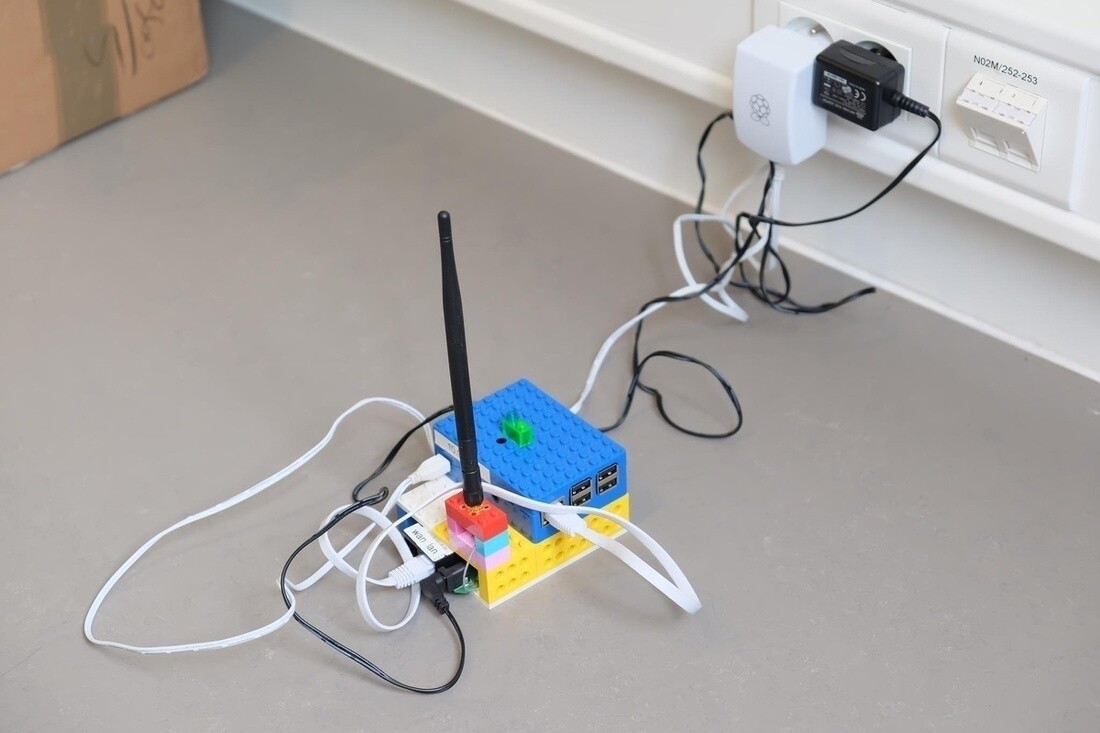
This local area network already holds a lot of potential. Knowing we can do that, a lot of uses of the internet could work just as well with a local network, without the need of a datacenter. For example, a restaurant’s QR code menu could be on the local network, same for local news, etc. That way data wouldn’t have to be stored and travel from a remote location. The image above shows a project by Constant VZW (BE): they have a local netwrok to take notes during a meeting or a workshops. Instead of having the notes in a remove server, they host it here. That also makes sure they remain private, since it’s only accessible if your are within the Wi-fi’s range.
Facilitator
We can ask a question to the participants to open up a discussion: what uses of the Internet could work a local network? what new uses could you imagine?