Reverse-proxy configurations
Below is outlined several ways to create a reverse-proxy:
- Using SirTunnel on comphost.club, our slef-hosted method.
- Using localhost.run, a freemium online tool with no signup.
- Using Ngrok, a freemium and powerful tool with sign up.
There are many (commercial) reverse proxy tools, some of them are listed in this comprehensive list.
1. SirTunnel on comphost.club
Comphost.club runs the reverse-proxy softare SirTunnel which runs with the communication protocol SSH.
Warning
However, comphost.club domain hosting and reverse proxy are only available on workshops hosted by CCU. Luckily, there are many commercial alternatives. You can also look into self-hosting your own reverse proxy software on your server.
SSH protocol
The Secure Shell Protocol (SSH) is typically used to log into a remote computer’s command-line interface (CLI) securely and to execute commands on a remote server. We can also use ssh to control our phone remotely via a laptop computer, so we can type easier.
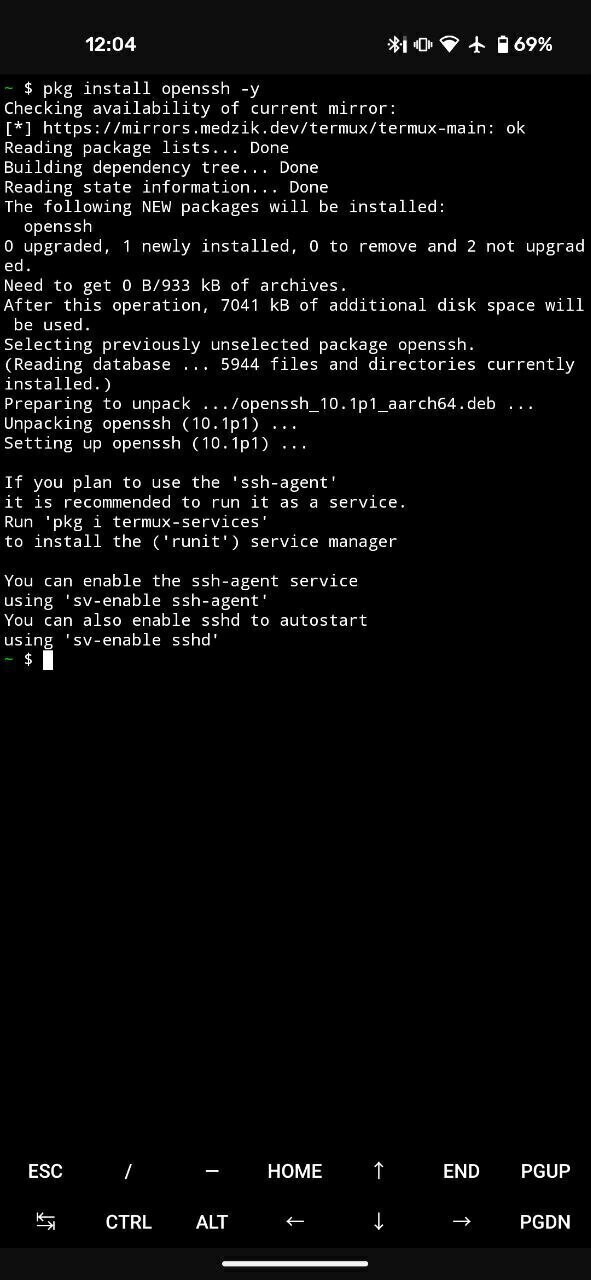
- We install an SSH sotfware in our phone: OpenSSH:
pkg install openssh -y
- We customise our own SirTunnel command based on the following:
ssh -tR XXXX:localhost:8080 comphost@comphost.club ./sirtunnel.py xx-my-subdomain-name-xx.comphost.club XXXX
-
We replace
XXXXby a unique port number (each participant must have its own), for example4567 -
We replace
xx-my-subdomain-name-xxby an original subdomain address, for examplebrokensamsung -
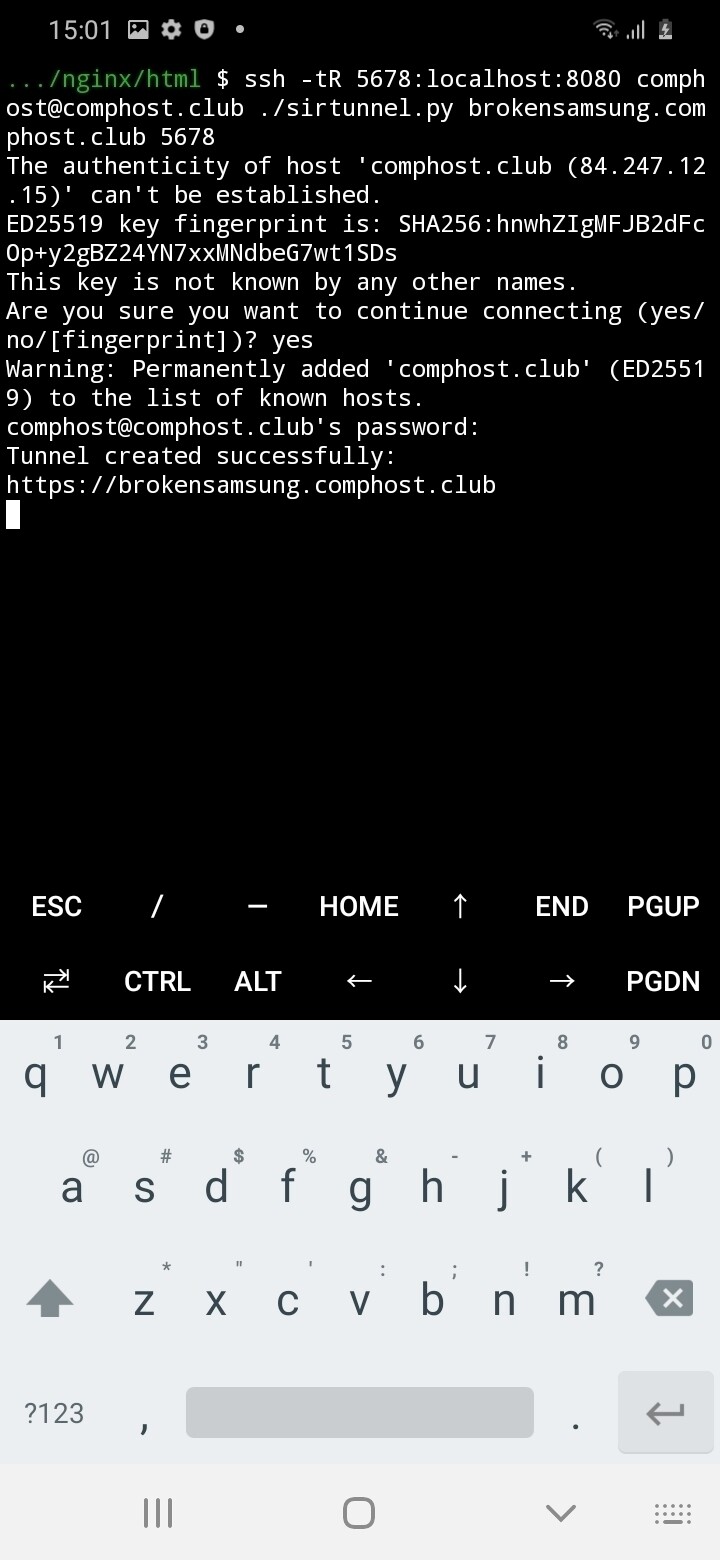
Type + enter the custom command in Termux:
ssh -tR 4567:localhost:8080 comphost@comphost.club ./sirtunnel.py brokensamsung.comphost.club 4567
-
If connecting for the first time, confirm the authenticity of host by typing “yes” and enter.
-
Enter the password and press enter.
Facilitator
password is workshopbymarieandrein:)
Protip
When typing a password in a CLI, you cannot see it. If you are concerned about spelling mistake, type it in another program (your Note app) and copy-paste it.
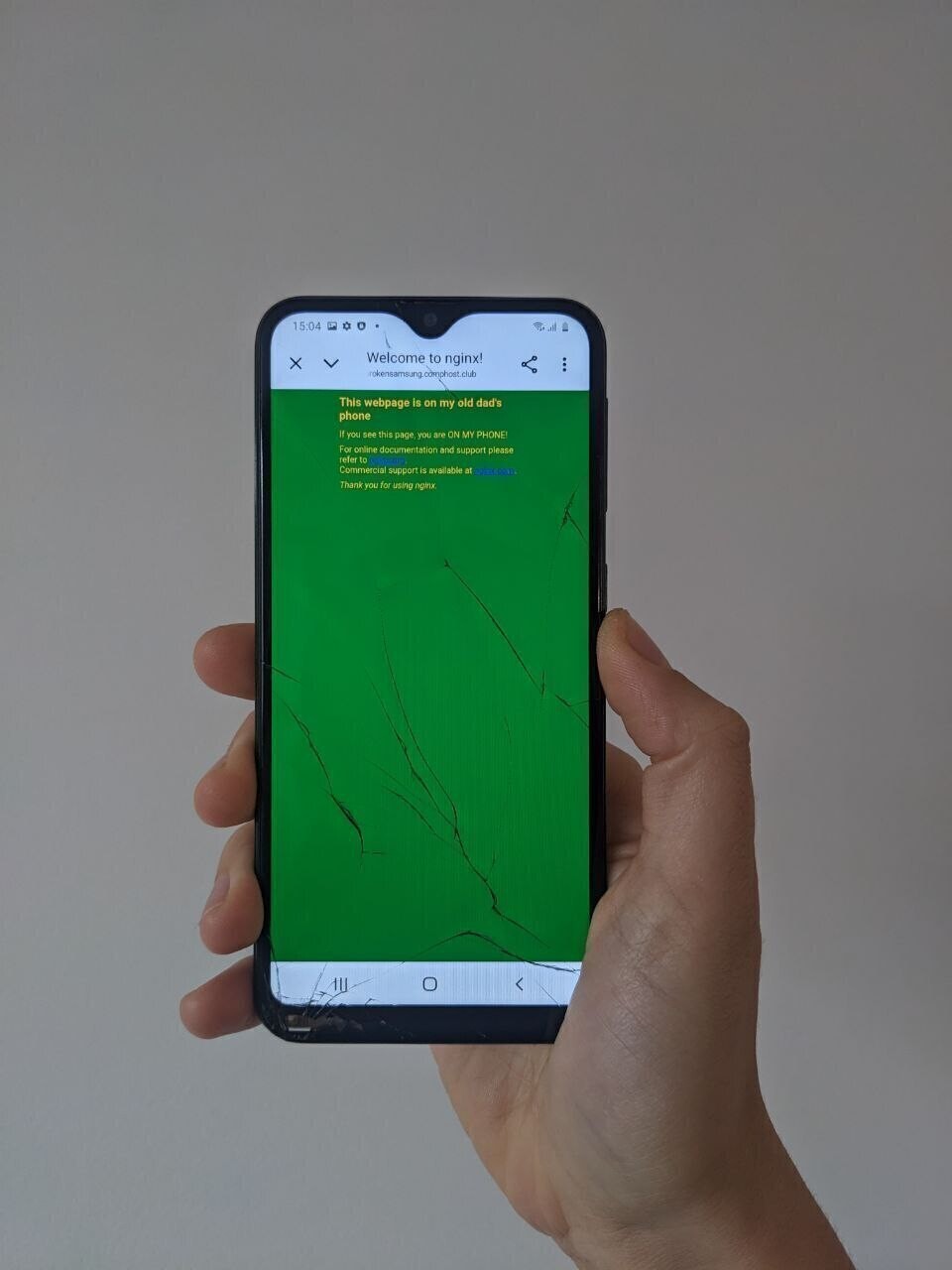
- Other devices can now visit your webpage at brokensamsung.comphost.club
All the mobile-servers currently up are listed on comphost.club’s index page.
Troubleshooting
Permission denied? Try a different port (this one might be taken)
Using localhost.run
- In Termux, type and enter:
ssh -R 80:localhost:8080 localhost.run
-
Type yes + enter to connect.
-
You will get a temporary domain name to looks something like https://46dd096d0d85c2.lhr.life. If you want to add a custom domain you will have to pay.
Using ngrok
Ngrok is a US commercial reverse proxy tool, so you have to install it, create and account.
- Install ngrok in Termux, type each command, press enter and continue
pkg update -y
pkg install git -y
git clone https://github.com/Yisus7u7/termux-ngrok
cd termux-ngrok
bash install.sh
- Sign-up to ngrok:
- Visit
- Sign-up and verifiy your email address.
- Copy your auth-token in the relevant section and add it to the config: - Enter the following command, replacing [auth-token] by the auth-token you just copy-pasted.
ngrok config add-authtoken [auth-token]
- under static domain copy and paste the command, changing port 80 to port 8080
ngrok http --url=gorilla-champion-tomcat.ngrok-free.app 8080
Check ngrok configuration and paid tiers to get more advanced configuration. For example, to set a custom domain